Face Decrypting Data/Keys
How to decrypt keys using a face
In the previous section, we saw how to encrypt a key using a Face Certificate. The key is encrypted using the public key in the Face Certificate.
To decrypt the encrypted key, the right private key must be generated from your SensePrint, face, and purpose ID.
The /face-decrypt endpoint decrypts a key that was previously encrypted with /encrypt-with-face-certificate. Decryption requires the user's face, the same SensePrint, and the same purpose_id used when the Face Certificate was generated.
Important: This endpoint only works with keys encrypted using Face Certificates with ML-KEM or Secp256k1 key types. These are the only key types that support encryption — ML-DSA is signing-only and cannot encrypt.
A liveness check is always performed on the face image before decryption.
As before, on the Swagger Docs page authorize using the API Key you setup earlier.
Expand the /face-decrypt section and then click the Try it out button as shown below:
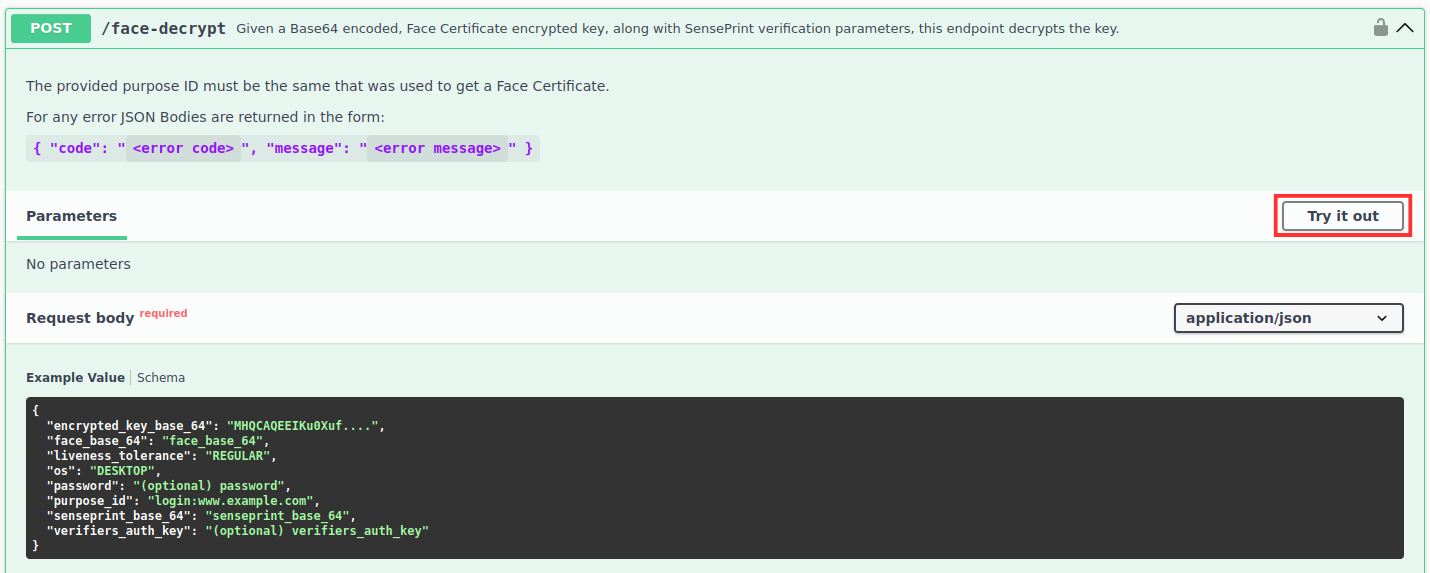
Upon clicking Try it out you should be able to submit the data as shown below:
{
  "encrypted_key_base_64": "MHQCAQEEIKu0Xuf....",
  "face_base_64": "face_base_64",
  "liveness_tolerance": "REGULAR",
  "os": "DESKTOP",
  "password": "(optional) password",
  "purpose_id": "login:www.example.com",
  "senseprint_base_64": "senseprint_base_64",
  "verifiers_auth_key": "(optional) verifiers_auth_key"
}
The following summarizes the parameters for the request:
encrypted_key_base_64- this is the encrypted key that was obtained using the/encrypt-with-face-certificateend-point described in the previous section.face_base_64- the face of the SensePrint eID holder.liveness_tolerance(optional) - the tolerance of the liveness algorithm used to check for a live face before allowing the decryption to proceed.os(optional) - indicates the operating system the image was captured on. Valid values areANDROID/IOS/DESKTOP.password(optional) - the same password (if one was specified) that was used during the SensePrint generation.purpose_id- a unique purpose ID. This should match the purpose ID that was used to generate the Face Certificate used to encrypt the key.senseprint_base_64- the foundational SensePrint eID in raw form.verifiers_auth_key(optional) - the sameverifiers_auth_key(if one was specified) that was used during the SensePrint generation.
Example response:
{
    "key_base_64": "<base64-encoded decrypted key>"
}