Face Signature Verification
How to verify a Face Signature using a Face Certificate
In the previous section we have seen how to sign a piece of data using a SensePrint, a face, and a purpose ID.
SenseCrypt provides two endpoints for verifying face signatures:
/verify-face-signature— verifies a signature using a Face Certificate, also validating the certificate chain against the server's root CA. Requires pki_private_key to be set./verify-face-signature-with-public-key— verifies a signature using a raw public key PEM directly, with no certificate chain validation. Does not require pki_private_key.
Both endpoints support Secp256k1 and ML-DSA signatures. The key type is automatically detected from the certificate or public key — no explicit key_type field is needed in the request.
Even though we provide the end-points, it is highly recommended that developers put in the effort to verify signatures on their own servers. This will not only decrease latency, but also preserve privacy. Signatures can be verified independently using OpenSSL as mentioned on previous page without calling the server API. We have used OpenSSL as an example, but it should be possible to use a cryptographic library in a language of your choice to accomplish the same functionality.
As before, on the Swagger Docs page authorize using the API Key you setup earlier.
Expand the /verify-face-signature section and then click the Try it out button as shown below:
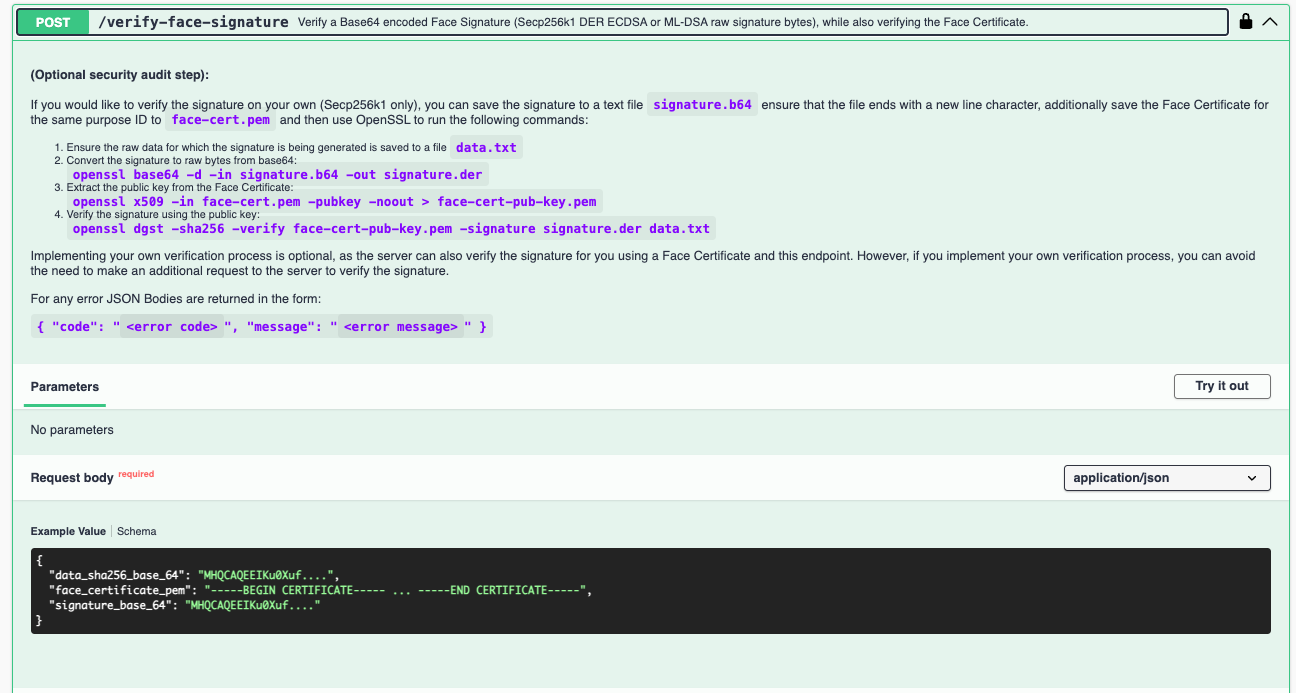
Upon clicking Try it out you should be able to submit the data as shown below:
{
  "data_sha256_base_64": "MHQCAQEEIKu0Xuf....",
  "face_certificate_pem": "-----BEGIN CERTIFICATE----- ... -----END CERTIFICATE-----",
  "signature_base_64": "MHQCAQEEIKu0Xuf...."
}
The following summarizes the parameters for the request:
data_sha256_base_64- given a piece of data (bytes), it should then be SHA256 hashed to obtain 256 bits. The hash should then be Base64 encoded to send it to the API.signature_base_64- this is the signature obtained from the SensePrint, face and purpose ID using the/face-signend-point discussed in the previous section.face_certificate_pem- this is the Face Certificate generated for the same purpose ID. When obtaining the certificate, the API returns the string with line breaks. However, line breaks are not valid JSON so when using the Swagger Docs page, be sure to replace line breaks in the certificate string with\n. When programatically calling the API this would not be required.
Example Response:
{
    "is_valid": true
}
POST /verify-face-signature-with-public-key
New in v4.0.0. Verifies a signature using a raw PEM public key directly — no Face Certificate, no certificate chain validation, and no pki_private_key required on the server. Useful for lightweight verification by parties who hold only the public key (e.g. obtained from /face-public-key).
The public key can be any valid PEM-encoded public key (Secp256k1 or ML-DSA). The key type is automatically detected from the public key format.
Example request:
{
  "data_sha256_base_64": "MHQCAQEEIKu0Xuf....",
  "public_key_pem": "-----BEGIN PUBLIC KEY----- ... -----END PUBLIC KEY-----",
  "signature_base_64": "MHQCAQEEIKu0Xuf...."
}
Example Response:
 {
    "is_valid": true
 }